An AI receptionist that lives on your website.
Your visitors tap once and talk to it. It answers from your own prices and policies, books the appointment and writes down the lead, while you get on with the work you are already too busy for.
A scripted illustration of how a build behaves, with an invented visitor. It is not a recording, there is no audio, and nothing on this page is listening.
What it does.
A visitor with a question and nobody to ask is a visitor leaving for a competitor. This is the work we build it to take off you.
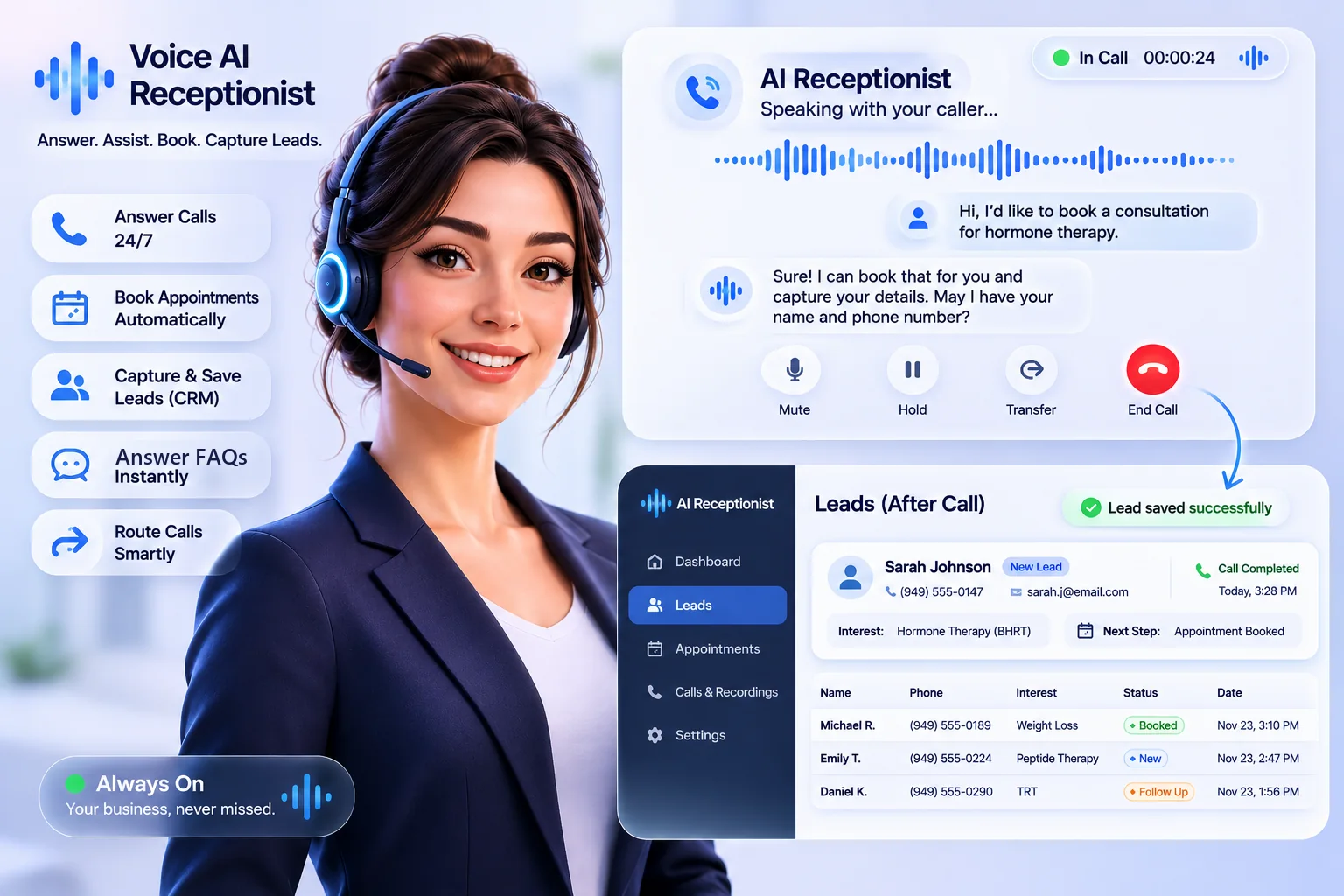
Answers while you are busy
Your website keeps working at 9pm, on a Sunday, and all the way through a day you spent with clients. The visitor gets an answer in the moment they care, not a contact form and a wait.
Talks, or types, whichever they allow
One tap and the visitor is speaking to it. Decline the microphone, or sit in a quiet office, and the same assistant answers in writing instead.
Books straight into your calendar
Reads live availability, books or holds the appointment, reschedules, and confirms by email or text. No back and forth, and no double bookings.
Captures the lead either way
Name, number and what they actually wanted, written down even when the visitor leaves without booking. That is the enquiry a contact form loses.
Answers from your own material
Prices, services, hours, areas covered, policies, and the twenty questions you answer every week, taken from your pages and documents rather than guessed.
Knows when to fetch you
Urgent, high value or awkward conversations get escalated to you by text and email while the visitor is still on the page.
On by default, honestly
Present the second the page loads. Speaking after one tap.
No browser will let a page start listening or talking on its own. The microphone needs a permission prompt and autoplayed audio is blocked, so anyone promising hands-free voice on page load is selling you something that will arrive silent.
What we build is unmissable instead of invisible: it greets in writing immediately, says what it can do, and goes live the moment someone taps. That is also the version visitors forgive, because nobody gets ambushed by a voice in a quiet office.
- 0.0sPage loads. The assistant is there, silent, with a written greeting.
- One tapMicrophone permission, asked for in plain words.
- 0.4sIt speaks. The visitor talks back.
- Any timeSwitch to text, or hand the conversation to you.
Built, not rented
You keep the receptionist, even if you stop keeping us.
Most AI receptionists are a seat on a platform, with your visitors conversations inside it and a vendor badge on your site. We build into your own site and your own accounts instead, which costs more up front and less every month after that.
Your website
It runs on your domain, inside your pages, styled as part of your site rather than as a vendor badge in the corner.
Your provider accounts
Speech and AI are billed to you, at cost. You can read the bill, cap it, and see what every conversation cost.
Your conversations
Transcripts and leads land in storage you control, under a retention rule you set, not in a dashboard you rent.
Your instructions
The prompt, the escalation rules and the knowledge behind it are yours in writing, and you can take them anywhere.
How a build goes.
About two weeks to an assistant you can talk to yourself.
- 1
Read your enquiries
We go through what people already ask you by form, email and phone, and which of those you are tired of answering.
- 2
Build on your material
Your pages, prices and calendar, wired into an assistant you can talk to on a staging copy of the site.
- 3
Test the hard ones
Accents, background noise, interruptions, refused microphones, angry visitors, and the questions it must never answer.
- 4
Launch and tune
It greets a share of visitors first, not all of them. We read transcripts weekly and fix what it got wrong.
What it costs.
There is a build cost and a running cost, and they behave differently. We will not quote either from a web page, but here is exactly what moves them, so you can tell whether a number you are given elsewhere is honest.
The build
A fixed quote, written after the discovery call. Driven by how many kinds of question it handles and how many systems it has to write into.
Speech and voice
Turning speech into text and back again, billed per minute of audio by your provider. The main running cost, and it scales with how long visitors talk.
The AI model
Billed per token. An assistant scoped to read only what it needs costs a fraction of one that re-reads your whole site on every turn, which is a build decision rather than a provider rate.
Hosting
Usually nothing new. It sits on the hosting your site already uses, or alongside it on the same plan.
Upkeep
Optional. Reading transcripts, correcting answers, and updating it when your prices, hours or services change. Monthly, or by the hour when you need it.
Running costs are billed by your providers directly to you, at their rates. We do not resell minutes or tokens, so there is no margin for us in your assistant talking longer. There is no phone network in the middle of this one either, which is the single biggest cost a phone receptionist carries.
The risks, written down.
Putting a voice on your website is not free of downside, and anyone who tells you otherwise is selling. These are the eight failure modes worth knowing about before you buy, and what we do about each one.
It gives a confident wrong answer
The known failure mode of every voice assistant, and the expensive one when the answer was a price or a lead time. We scope it to answer only from your approved material, write down what it must never attempt, and make not knowing a tested path to you rather than an edge case.
It talks when nobody wanted it to
The reason we do not ship voice that starts itself even where a browser would allow it. Visitors arrive in offices, on public transport and in bed. The assistant is visible and silent on arrival, greets in writing, and only speaks once someone has asked it to.
The microphone prompt scares people off
A browser permission box arriving unexplained reads as a site doing something it should not. We ask in plain words first, say what it is for, and keep the text version one tap away so a refusal costs you nothing.
Visitor data goes somewhere you did not agree to
A conversation collects names, numbers and sometimes health or financial details. We send providers the minimum a turn needs, use business API terms where the provider does not train on your data, keep secrets out of the browser, and give you a written map of where each part of a conversation goes, plus the privacy policy wording to match.
It strays into advice it should not give
A clinic, a law firm or a broker cannot have an assistant answering the clinical, legal or financial question, however politely it is asked. We draw that line in the build: the assistant books the appointment and says a person will answer the rest. Where health data is involved we also cover retention, who can read a transcript, and the agreements your providers need to sign.
The bill runs away
Usage billing plus a bot storm or one bored visitor is a real risk. Per-session and per-day caps, a maximum session length, rate limiting before the model is ever called, and an alert when spend passes a threshold you set.
A provider goes down
Voice depends on several services at once and any of them can fail. The fallback is decided at build time: the assistant drops to text, or to your contact form, with a message that tells the truth rather than a widget that spins.
It locks someone out
A voice-first interface can exclude deaf and hard of hearing visitors, people with speech differences, and anyone on a locked-down work laptop. Everything the voice can do, the text version does too, by the same keyboard and the same screen reader. That is a requirement in the build, not an afterthought.
Tools we use
A stack you can audit.
Chosen per build against your traffic and the rules you work under, not fixed in advance.
Start cheaper
Try it in text first.
Our free WordPress chatbot answers the same questions in writing, trained on your own pages, with handoff to a person. It is the cheapest way to learn what your visitors actually ask before anyone builds them a voice.
Read about the Smart ChatbotQuestions.
What is an AI receptionist on a website?
It is a voice assistant built into your site. A visitor taps once and talks to it out loud, and it answers in a spoken voice using your own pricing, services, hours and policies. It can qualify the enquiry, capture a name and number, book an appointment and pass the visitor to you when they need a person. Nothing is installed, and the visitor never dials a number.
Does it answer phone calls too?
Not by default. This build answers visitors on your website. A phone receptionist is a separate system with its own number, carrier and per-minute costs, and we build those as custom projects as well. Tell us which one you want on the discovery call, or both.
Can the voice start talking on its own when the page opens?
No, and no vendor can give you that honestly. Browsers block audio that plays without a user action, and the microphone needs an explicit permission prompt, so a page cannot start speaking or listening by itself. What we build instead is unmissable on arrival: it greets in writing the moment the page loads and goes live on one tap. It also means visitors in an office or on a train are never ambushed, which is what keeps them on the page.
Do visitors need a microphone or an app?
A microphone, which every phone and most laptops already have, and nothing else. It runs in the browser. If a visitor refuses the microphone or does not have one, the same assistant answers in text instead, so nobody hits a dead end.
What does it cost?
Two costs. The build is a fixed quote after a discovery call, based on how many kinds of question it has to handle and what it has to connect to. Running it is usage based: speech recognition, the voice itself and the AI model, billed by your own providers at their rates rather than marked up by us. Both figures are in writing before you commit.
What happens when it does not know the answer?
It says so and does what you chose in advance: take a callback number, book a call with you, or hand the conversation to a person. We design that path first, because a confident wrong answer about your prices costs more than an admission of not knowing.
Will visitors know they are talking to AI?
Yes. The greeting says so. Some jurisdictions require the disclosure, visitors work it out in one exchange anyway, and the ones who are told ask clearer questions and get better outcomes.
Who owns it?
You do. It is built into your own site and your own provider accounts, so the conversations, the transcripts, the leads and the instructions the assistant follows are yours. If you stop working with us, it keeps answering.
How long does a build take?
About two weeks to an assistant you can talk to on a staging copy of your site, then a period of reading real conversations and tuning before it greets everyone. More languages, a booking system or a CRM write-back add to that, and the estimate says so.
Tell us what your visitors keep asking.
One call, and you will get an honest answer about whether a voice assistant is right for your site, including when it is not.